
PLATFORM RESEARCH / DATA PORTABILITY · ECOM RATINGS
A field-by-field migration guide that separates documented exports from records you must audit before cancellation.
Editorial research · Sources checked October 26, 2026 · Documentation-based guide

The essential distinction: Podia provides documented CSV exports for contacts, sales invoices, product-specific active customers, waitlists, and coupons. That is not the same as a single portable backup of your entire school, website, community, and marketing system. A successful migration depends on separating what you can download, what you must rebuild, and what you need to document before closing the account.
Leaving Podia can look deceptively straightforward. A creator downloads a contact CSV, saves a handful of lesson files, points the domain at another platform, and considers the transfer finished. Problems appear later: a former student asks for access to a paid course, an old coupon cannot be reconstructed, a checkout link still points to the previous site, or a support request depends on a quiz attempt no one preserved. These are not necessarily failures in Podia’s tools. They are failures to distinguish information stored in different parts of the product.
This guide maps documented exports and recommends separate capture of information that has no established general export route. It does not recommend a replacement platform.
Start with the export matrix, not the cancellation button
The most important migration decision is to establish which datasets are essential to running the business after Podia. A customer record is not the same as a customer’s entitlement. A course video is not the same as the course’s structure, prerequisite logic, or student’s progress. A revenue total is not the same as an invoice-level audit trail. When these distinctions are lost, the migration may look successful to administrators while customers encounter missing access or incorrect billing.
Create a folder structure before requesting exports: 01-audience, 02-product-enrollments, 03-sales, 04-coupons, 05-content-masters, 06-community, 07-website-and-seo, 08-email, and 09-evidence-and-qa. Use subfolders for each product and export date. Preserve original ZIP and CSV files untouched, and make working copies for transformation. File names should contain the extraction date and source. A simple spreadsheet can track who requested each export, which date range it covers, where it is stored, and whether the file opens without corruption.
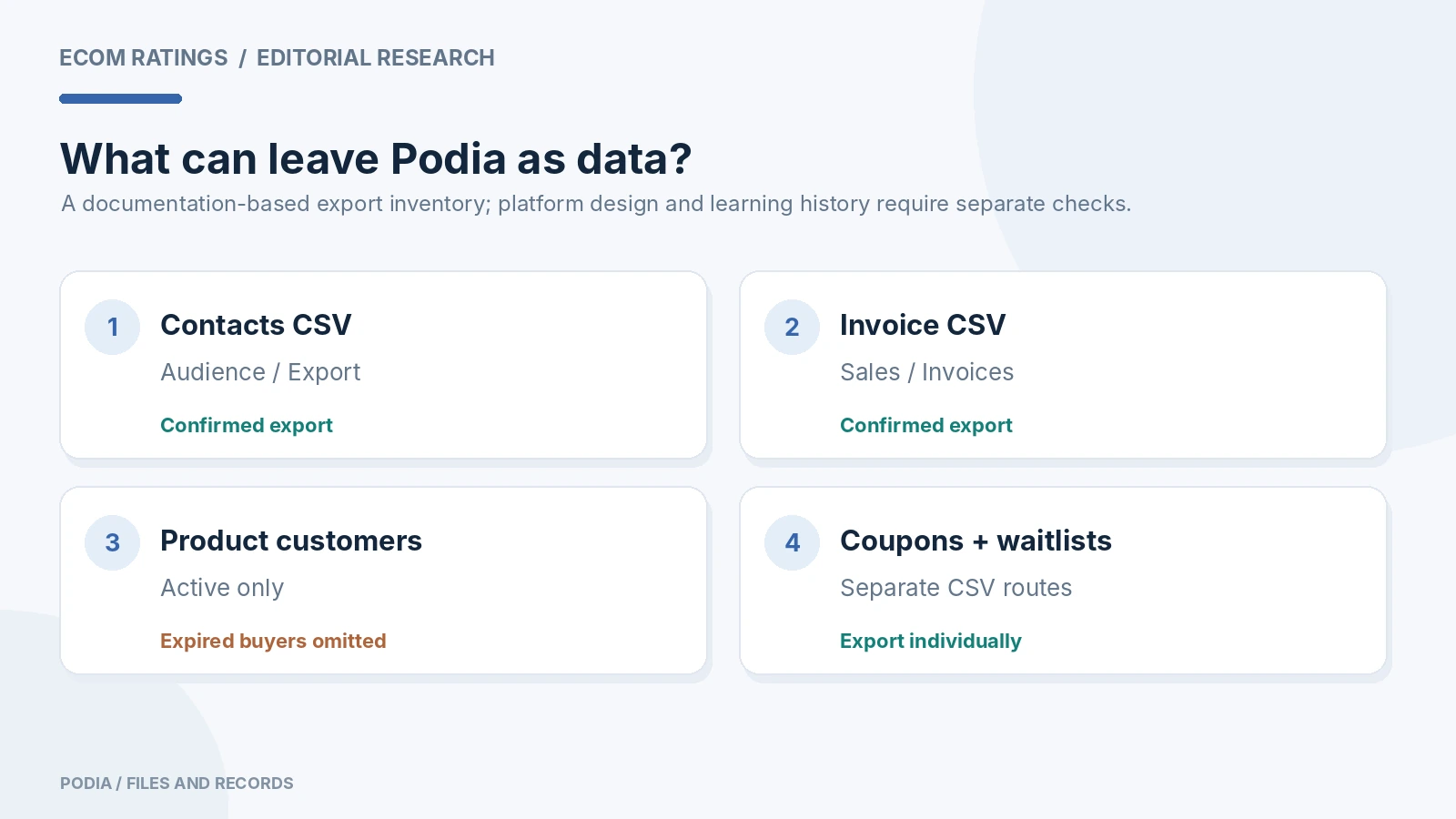
| Dataset | Published Podia path or method | Migration risk |
|---|---|---|
| All contacts | Audience, select contacts, Actions, Export | Does not automatically reconstruct every marketing segment |
| Active customers per product | Products, selected product, Export customers | Excludes expired-access customers |
| Historical invoices | Sales, Invoices, date range, Export | Must cover the full intended period, not just recent dates |
| Waitlist signups | Product options, Export subscribers | Separate from paid enrollments |
| Coupon codes | Sales, Coupons, Export | Validate codes and rules against destination platform |
| Uploaded course media | Files Library and original local assets | Downloaded streaming copies may be compressed |
| Progress, quizzes, community, design | Inventory and capture before shutdown | Do not assume a portable one-click export |
The matrix should lead directly to your action plan. Mark an item complete only when you can open the exported data or reproduce the corresponding behavior in the destination. An email claiming an export was prepared is not evidence that the resulting file was downloaded and inspected.
Contacts: export the audience and check the missing metadata
Podia’s June 2026 help article describes an Audience export that can cover the entire contact database or a filtered selection. In the current navigation, open the Admin dashboard, choose Audience, select the records, then use Actions and Export. Podia prepares a CSV and sends a download link by email. The export includes fields such as name, email address, location information, product sign-up date, start date, and subscription status. This gives you a practical foundation for rebuilding the audience in another service.
One limitation requires specific attention: Podia says its contacts export does not currently include a column listing tags associated with each customer. If your business relies on tag-based segmentation, the audience CSV alone is insufficient. Before leaving, document your critical tags, their meaning, and which users belong to each operationally important segment. Export filtered groups separately where appropriate, then test whether your destination can reconstruct those groups without conflating consent and customer status.
Do not treat every email address as permission to send marketing campaigns. A past customer might be eligible for transactional communication while not having consented to promotional messages. Maintain subscription or consent status from the export and, if necessary, keep separate evidence of how opt-ins were collected. Also check encoding, duplicate emails, blank addresses, and malformed fields. A CSV can technically import while quietly merging people or dropping non-ASCII characters, so sample real rows before declaring the audience safe.
Active product customers are not your complete customer history
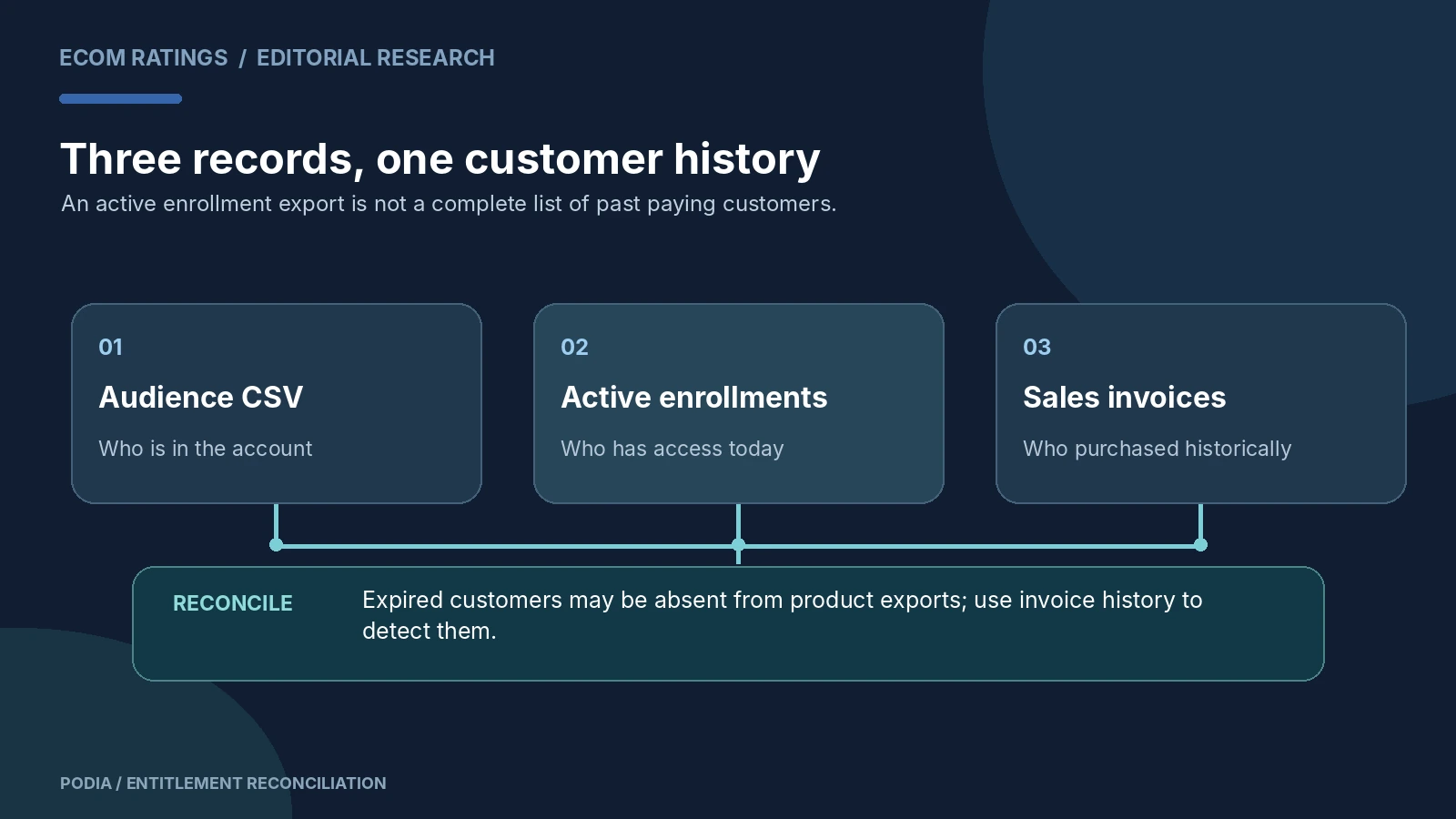
This is the single most consequential trap in Podia’s documented exports. The per-product Export customers option covers people currently actively enrolled. Podia explicitly warns that customers whose access has expired do not appear in that export. A popular course with only historical purchasers could therefore produce an empty product-customer file even though the creator sold hundreds of seats previously. That does not prove the product had no customers; it proves the export answers a narrower question.
To recover historical purchases, Podia recommends using the general sales export and filtering the Items column by product name. That allows you to distinguish active entitlement from historical transaction. Build a reconciliation sheet with three columns: product, active enrollments, and historical paid invoices. For a product sold under multiple names or price configurations, map those variations explicitly. A free access grant, refunded transaction, expired membership, and successful paid purchase are different reasons a contact may appear in one dataset but not another.
Consider a fictional example. A photography course has 460 historic purchases, 310 currently active members, and 17 refunded invoices. Exporting only the 310 active product customers would miss 150 people whose transaction history might still matter for taxes, refunds, customer support, or later reactivation. A reliable migration reconciles the contact list, active enrollment list, and invoice history, then flags discrepancies for manual review. The numerical example is illustrative, not a claim about Podia’s accounting logic.
Sales invoices: export every period you need to defend
Podia’s Sales section contains an Invoices page, where an administrator can select a date range and request a CSV export. Published fields include invoice identifier and date, customer details, address, payment method and status, items, subtotal, discounts, total, currency, and revenue-related amounts. This information is essential for accounting continuity and for helping customers who later ask about an old purchase.
Choose the full historical range required by your retention policy. If the export interface imposes a date window, create adjacent periods and record the boundaries so that no month is skipped or counted twice. Check whether invoices are reported in the original transaction currency and whether refunds are marked separately. Keep the raw export as a record and create a normalized working file for import into accounting or support systems. Never “fix” historical invoices by changing the original CSV without keeping its untouched source.
A useful reconciliation control is to count unique invoice IDs, sum transaction totals by currency and status, and compare a sample of records with the administrative invoices still visible in Podia. A mismatch does not automatically imply money is missing; it may mean the report’s date definition, refunded-status handling, or filter differs. Resolve those questions before the old platform becomes unavailable.
Coupons and promotional rules need their own inventory
Podia documents a separate coupon export through Sales, Coupons, Export. The CSV can include code, selected products and plans, discount type, fixed amount or percentage, status, usage limit, coupon category, usage count, creation date, archive date, and expiration information. That is much richer than a handwritten list of promotional codes. It also means there is no good reason to recreate only the headline discount and ignore the restrictions that made it commercially safe.
For every live coupon, decide whether it should be reissued, retired, or mapped to a new offer. Some discounts apply to selected products; others are storewide or plan-specific. A 20% coupon on a $29 course is not equivalent to a 20% recurring membership discount. Rebuild the logic in the destination and test a dummy checkout against expected totals. A customer should never discover after migration that an old offer was silently expanded to products it was never intended to cover.
Course files and lesson structure: preserve both the asset and context
If your products include courses, download your video, audio, and attachment assets while you still have access. Kajabi’s current Podia migration guide points creators to Podia’s Files Library but adds an important qualification: Podia does not retain the original uploaded video files in the form that a later platform may expect; downloaded video versions may be compressed for streaming. If you still have original master footage, use those masters for any re-upload that would otherwise involve re-encoding a compressed copy.
Do not stop at media files. Save an inventory of products, sections, lessons, titles, descriptions, prerequisites, publishing status, drip or access settings, links, embeds, downloadable attachments, and quizzes. If a course has 46 lessons, number them in a manifest and ensure the new platform contains 46 corresponding items or a documented intentional change. A ZIP of video files does not convey whether lesson 12 was locked until lesson 11 or whether a downloadable workbook belonged only to a paid tier.
Quiz progress presents another risk. Podia’s help materials explain that its admin can inspect individual customers’ progress and quiz attempts, including open-ended answers. That documentation is not proof that there is a universal CSV migration route for every progress record. If certification, compliance, or access decisions depend on completion history, identify how you will preserve it before changing platforms. At minimum, establish a retention approach for records your business legitimately needs and ask Podia support whether a suitable extraction is available for your account.
Membership and community records are not simply a contacts problem
A community combines people, rights, and content. A contact list may identify members without reproducing private spaces, paid access rules, discussion history, profiles, or scheduled posts. This is particularly relevant because Podia’s 2026 materials describe changes in its own community model: the new Podia uses spaces, handles open topics differently, and changes how free plans are represented. A creator leaving during or after that transition should not assume that a legacy community plan maps one-to-one to the destination platform.
Before migration, create an access matrix showing each plan and which spaces or products it unlocks. Record whether an entitlement arose from a purchase, promotional grant, complimentary access, or recurring subscription. Capture important community posts with their context where allowed and appropriate; avoid copying private member data into a public knowledge base. Tell members which elements are moving, which are not, and whether they must create a new password. Strong communication can prevent a technical success from feeling like a loss of community continuity.
Email assets: contacts are not campaigns, triggers, or sender reputation
Even a perfect contacts export does not reproduce your marketing system. Inventory broadcasts, automated sequences, entry conditions, exit rules, tags, welcome messages, templates, sender domains, and suppression preferences. Preserve approved copy and the assets it references. For automation, draw the logic as a state diagram: what triggers enrollment, what stops an email, how delays are calculated, and which customers are excluded. A new email platform may express those rules differently.
Podia’s published guide for migrating into Podia Email describes manual transfer of subscribers, tags, segments, content, images, files, and automations by a migration team. Although that is not an export promise for people leaving, it illustrates why a marketing migration cannot be reduced to downloading addresses. On the destination, authenticate your sending domain, set up consent handling, and test a small seed list before delivering a broad campaign. Do not assume previous deliverability, tags, or reputation carry over automatically.
Website migration: capture the URLs before the domain changes
Exporting business data and migrating the website are separate tracks. Build a URL inventory from the current site, including course pages, digital product landing pages, blog articles, checkout links, thank-you pages, and account entry points. Capture titles, descriptions, headings, canonical URLs where exposed, images, and important internal links. A search-engine crawl and XML sitemap are useful sources, but verify that gated or unlinked pages are also covered where those pages matter to customers.
Create a redirect map containing old path, intended new path, and redirect type. If you control the domain, configure redirects at the platform or hosting layer where possible. If you do not control the old URL domain, you may not be able to create a permanent redirect after leaving; plan communications and inbound-link outreach accordingly. Kajabi’s Podia migration guide advises changing the domain DNS last, after the destination is ready. That is sound operational sequencing regardless of where you move.
Test high-value pages on desktop and mobile, but also test the unglamorous details: payment terms, refund notices, embedded forms, checkout buttons, password-reset emails, and protected download links. New branding is not a substitute for correct navigation. A course that looks beautiful but sends purchasers to an inaccessible lesson is still a failed migration.
A seven-step migration runbook with go/no-go checks
Step 1 — Freeze scope. Record the products, contact population, open subscriptions, and content that must survive. Assign owners to each stream. Define what counts as an acceptable difference after migration.
Step 2 — Export independently. Request contacts, active product-customer lists, sales invoices, coupons, and waitlists. Download each emailed file immediately. Podia warns that contact-export download links stop working if the account is deleted, so do not rely on an unopened export email as backup evidence.
Step 3 — Capture nonportable context. Download media and original masters; document course architecture, community entitlements, marketing automations, SEO settings, and important support records. Flag anything without a confirmed export route for manual verification.
Step 4 — Rebuild privately. Import contacts and customers into the new system without sending bulk marketing by default. Create products and access rules. Map purchased products to entitlements, including refunded and expired cases.
Step 5 — Reconcile. Compare counts and samples across both systems. Trace a few real buyers from Podia invoice to correct destination product access. Test separate paths for active subscribers, expired members, gifted access, and past refunded sales.
Step 6 — Cut over deliberately. Change domain routing only after site, checkout, and customer journeys pass their tests. Keep rollback or manual support procedures ready. Send clear migration instructions to existing customers rather than relying on automatic discovery.
Step 7 — Retire safely. When the new platform has operated successfully long enough to validate real orders and access, review retention needs and then cancel the old services. Do not delete early merely to save one subscription period while critical exports or customer records are still unverified.
The final pre-cancellation checklist
Use these concrete questions as a stop/go decision. Can you open the audience CSV? Have you preserved the consent distinction? Did you capture expired purchasers using invoice history rather than only active product exports? Can finance find every required invoice period? Are coupon constraints accounted for? Are course masters backed up? Can you explain every paid entitlement in the new platform? Are your email sequences and sender configuration tested? Do important URLs resolve correctly? Can at least one buyer complete the full purchase-to-access journey without support intervention?
A green answer should include evidence: a file, a sample record, a screenshot, a test order, or a written decision. A checkbox marked “done” without evidence is not strong enough for a migration involving historical customer payments. Conversely, you do not have to copy everything forever. Respect data-minimization and retention obligations, especially when storing private community posts and subscriber details.
Bottom line
Podia has useful, documented export tools. The risk is assuming those tools produce a complete snapshot of your business. They do not automatically preserve every relationship among customers, access, course structure, historic invoices, marketing logic, and website URLs. A reliable departure is a reconciliation project: identify the source dataset, extract it where possible, document nonportable context, reconstruct behavior, and test before shutting down the old account.
For a related look at the economics of maintaining an audience on a creator platform, see Podia Email Pricing Explained. That cost question is separate from this article’s portability and data-preservation audit.
Primary sources and methodology
- Podia: Exporting your contacts
- Podia: Viewing and exporting your sales
- Podia: Exporting coupon codes
- Podia: Viewing customer progress in an online course
- Kajabi: Migrate to Kajabi from Podia
- Podia: What changes in the new Podia?
Editorial method: Export paths and field lists above come from provider documentation. Checklists, workflow examples, and reconciliation thresholds are editorial recommendations, not claims that Podia has an automated export for every listed dataset. Information reviewed October 26, 2026.