
PLATFORM RESEARCH / B2B COMMERCE · ECOM RATINGS
A working allocation model for wholesale tiers, overlapping catalogs and Plus-only exceptions.
Editorial research · Sources verified October 26, 2026 · Practical implementation guide
THE ESSENTIAL RULE · 3 active assignments
Across all B2B markets on Basic, Grow and Advanced. Company-level catalogs require Shopify Plus.
Verified against Shopify documentation: October 26, 2026. Shopify B2B is no longer a feature that necessarily requires a Shopify Plus contract. Basic, Grow, and Advanced merchants can use companies, B2B markets, catalogs, and net payment terms. But the lower-tier offer comes with an important constraint: only three active B2B market catalogs can be assigned across all B2B markets combined. The number is a shared allocation, not three per market. That difference can determine whether a wholesale pricing design works before a merchant has created a single customer account.
This article is a practical guide to that limit. It distinguishes catalogs from markets and companies, works through three allocation examples, and identifies the situations where upgrading plans changes the underlying architecture rather than merely raising a numeric allowance. It is not a general Shopify review or a guarantee that a particular storefront configuration can be built without testing.
Quick answer: what does the three-catalog limit count?
Shopify’s current B2B feature comparison states that Basic, Grow, and Advanced stores can assign up to three active catalogs across all their B2B markets. An assignment of three catalogs to one B2B market uses the whole allowance. To assign an additional active catalog elsewhere, a merchant must remove or draft an existing assignment. Shopify Plus supports unlimited B2B market catalogs and, unlike the lower plans, direct catalog assignments to individual companies or company locations.
| Capability | Basic / Grow / Advanced | Shopify Plus |
|---|---|---|
| Companies and company locations | Supported | Supported |
| B2B market catalog assignments | Three active across all B2B markets | Unlimited market catalogs |
| Catalog assignment directly to a company location | Not available | Available |
| Net payment terms | Supported, subject to applicable conditions | Supported |
| Required deposits, partial payments, and per-fulfillment payment requests | Not available as Plus-only advanced payment capabilities | Available |
There is an additional prerequisite: merchants on Basic, Grow, or Advanced need to use Shopify’s newer Markets experience to access the relevant B2B catalog features. A business still working with older market configuration should verify its Markets setup before planning a migration around these features.
Catalog, B2B market, and company location are three different objects
Confusion begins when a merchant treats “three catalogs” as “three wholesale customers.” A company identifies a business customer. A company location represents a buying location within that customer organization, with its own operational details. A B2B market groups eligible locations for a customized buying experience. A catalog controls which products buyers can see and the prices or purchasing rules applied to those products.
The three-catalog restriction does not mean a Basic store can serve only three companies. Many company locations can share a B2B market and the same catalog. The restriction becomes material when the business needs multiple distinct sets of product visibility or pricing. For example, one price structure for US distributors, another for EU resellers, and a third for education buyers already consume three separate catalog allocations if each uses its own active B2B catalog assignment.
Three realistic allocation scenarios
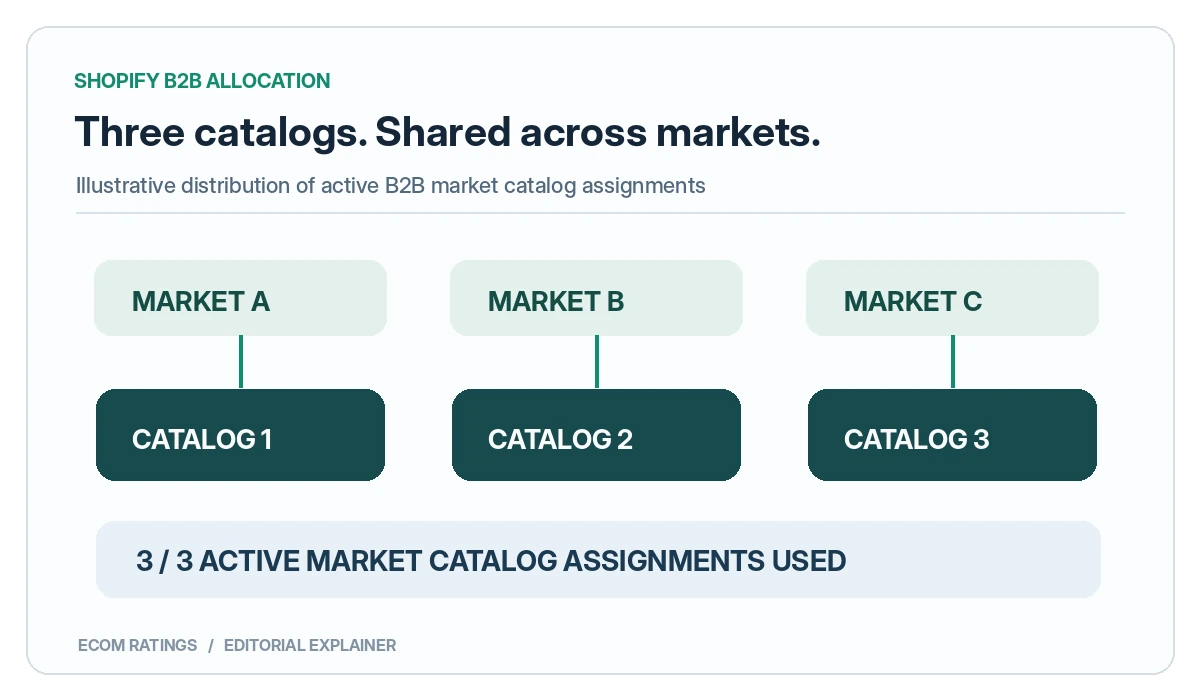
Scenario A: three markets, one catalog each
A merchant sells the same product family to wholesale customers in three market segments. It sets up Market A with Catalog A, Market B with Catalog B, and Market C with Catalog C. This design occupies three active catalog assignments and fits the stated lower-tier limit. It does not leave another slot for a fourth differentiated pricing schedule, even if the fourth market serves only one business customer.
Scenario B: one market, three catalogs
A business groups several types of wholesale buyers inside one market and assigns three catalogs to that market. Shopify says that doing so consumes the entire three-catalog allowance. A merchant should not assume that an entirely separate B2B market can receive three more active catalogs. The important number is the store-wide active market catalog allocation, not the count of markets.
Scenario C: 60 customers, two common pricing tiers
Consider a seller with 60 B2B companies, but only two standard wholesale tiers. A market-based configuration might be sufficient if those companies can be reliably segmented into two groups and share common product availability and prices. The decision depends on market membership rules and other configuration details, not simply the number of buyers. By contrast, 12 companies each requiring a bespoke contract price may be structurally harder to represent on Basic even though there are fewer customers.
These scenarios are illustrative planning examples, not screenshots of a live Shopify store. A final implementation should be tested using actual company locations, product variants, and checkout accounts.
What happens if two catalogs cover the same product?
A second pricing issue can appear without hitting the catalog-count ceiling. Shopify documents that when multiple assigned catalogs contain different prices for the same product, the lowest applicable price is displayed. This is particularly important if catalogs overlap within a buyer’s eligible market configuration.
Imagine a standard wholesale catalog showing a hypothetical product at $86 and a promotional catalog showing that same product at $79. If both apply under Shopify’s catalog resolution rules, the displayed price can be $79 rather than the price the merchant expected from the standard catalog. The two dollar amounts are illustrative. They are not Shopify fee figures or quotes for any real product.
Catalog overlap therefore needs a deliberate audit. Ask which company locations qualify for each market, whether a product exists in multiple catalogs, whether price adjustments are consistent, and whether quantity or volume rules change the final offer. Test with an actual B2B buyer account rather than previewing only a public retail page.
Why adding another Shopify plan does not necessarily solve custom pricing
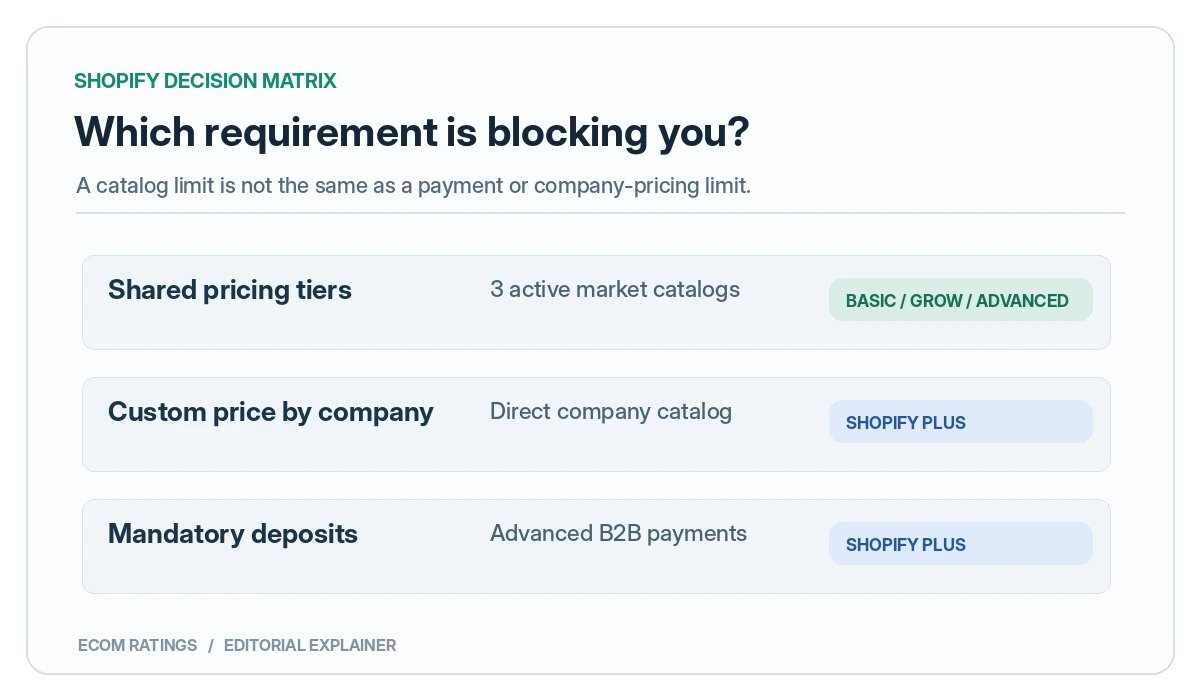
The Basic, Grow, and Advanced plans share the three-active-catalog rule for B2B markets. Moving from Basic to Grow solely to get a fourth active B2B market catalog would not address that limit under the documented feature matrix. Nor does Advanced provide the Plus-only ability to assign a catalog directly to a specific company or company location.
However, the plans are not identical. Shopify documents broader contextual storefront customization on Advanced and Plus, while advanced payment features such as deposit requirements and partial payments remain Plus-only. The right choice depends on which unmet requirement is causing the problem: catalog count, personalized pricing by location, presentation by market, or payment workflow. Those are separate purchasing decisions.
How to assess whether Shopify Basic is enough
- Count distinct price and availability policies. List wholesale tiers that actually require different product visibility or price records. Do not count individual customers if several can share one policy.
- Map company locations to markets. Include any locations with exceptions. A single national distributor with several locations may need different treatment depending on the contract.
- Count active market catalog assignments, not just catalog files. Document which active catalogs are assigned in which B2B markets and whether the total fits the shared allowance.
- Audit overlap. Flag products that appear in more than one applicable catalog and verify the effective price with test accounts.
- Check noncatalog requirements. If the business needs deposits, partial payments, or direct company-specific catalog assignment, examine the Plus-only features separately.
- Verify migration requirements. Confirm the store uses the appropriate Markets experience and review any impacts on existing retail markets.
- Test the entire buyer journey. Sign in as different company locations, inspect product visibility, create a cart, check volume pricing, and review the final checkout.
Common mistakes in a first B2B rollout
Assuming three catalogs per customer
Shopify’s Basic/Grow/Advanced allowance concerns active B2B market catalog assignments across markets, not a fresh allocation for each company. A large customer base using one shared price book may be easier to support than a small set of customers demanding individualized catalogs.
Using retail pricing previews as evidence
A standard storefront visit may not reflect the pricing a particular B2B company location is eligible to see. The test account must represent the intended customer location and market membership.
Mixing price tiers with payment terms
A catalog answers “what can this buyer purchase and at which price?” Net payment terms answer “when must the buyer pay?” More advanced deposit and partial-payment workflows are separate again. Treating these as interchangeable features produces avoidable plan-selection errors.
Assuming that a fourth customer segment mandates Plus
A fourth segment does not automatically require a new catalog if it can legitimately share a current price and assortment. First test whether it is an operationally meaningful distinction or simply an internal sales label. Conversely, do not collapse materially different contract prices into a shared market merely to stay within a technical limit.
Worked configuration checklist
| Question | Evidence to collect | Decision impact |
|---|---|---|
| How many active catalogs do we need? | Pricing and product-availability matrix | Three-assignment ceiling |
| Are prices negotiated per company location? | Customer contracts and exceptions | Potential need for Plus direct assignments |
| Do catalogs overlap? | Product and variant comparison | Lowest applicable price may win |
| Do we require deposits or partial payments? | Accounts receivable workflow | Plus-only advanced payment features |
| Is the store on new Markets? | Markets admin configuration | Prerequisite for lower-tier B2B catalog workflows |
A catalog-budget worksheet before building anything
Start with a spreadsheet rather than Shopify’s catalog-creation screen. Create one row for each commercial promise that changes a buyer’s products, base prices, minimum quantities, or volume tiers. Include columns for buyer cohort, matching rule, intended B2B market, proposed catalog, overlapping products, and who approves the price. The purpose is to identify genuinely distinct sets of buying terms. A new sales region does not automatically need its own catalog if it shares the same products and wholesale pricing. Conversely, two regions that look similar geographically might require separate catalogs because one has a negotiated price list.
Take a hypothetical manufacturer with 42 wholesale accounts: 20 independent shops, 14 professional installers, and eight educational institutions. There may be only three commercial policies, one per group. A three-catalog design could represent the pricing differences, assuming the groups can be mapped to suitable markets and the accounts do not need exceptions. Add just two installers with bespoke prices, however, and the policy may no longer fit cleanly. The number of customers barely changes; the number of distinct pricing promises does.
Record the future state too. A design using three of three available assignments on launch day has no spare room for a pilot catalog, emergency correction, or fourth segment. That is not automatically disqualifying, but it should be an explicit operational decision. The right question for the finance and sales teams is whether two segments can safely share a policy, not whether a fourth catalog can be squeezed into the same plan by renaming an existing market.
A four-case test of overlapping product prices
Catalog overlap deserves its own test, especially when a business is considering Shopify Plus. Two catalogs can include the same product and contain different prices, but assignment context matters. Shopify documents a lowest-price rule when multiple catalogs are directly assigned to the same company location. It separately documents that a company-location-specific catalog can take precedence over a catalog from a matching B2B market, even when that specific price is higher. Those are not interchangeable cases.
| Hypothetical configuration | What to investigate | Editorial conclusion |
|---|---|---|
| Two Plus catalogs directly assigned to one location, $90 and $85 | Overlapping product, same currency and location | Shopify documents the lower direct-catalog price as the result. |
| One location catalog $90; one market catalog $85 | Company-location specificity | The direct location price can take precedence despite being higher. |
| Two catalogs with different product lists | Combined product visibility | Verify which variants are visible and which rules apply in cart. |
| Two catalogs with equal lowest prices but different volume tiers | Creation order and quantity rules | Shopify documents special tie behavior for directly assigned catalogs. |
The key editorial point is not that Shopify always chooses the cheapest visible figure. That shortcut would be misleading. Test the precise assignment type, the target company location, each variant, and the quantity-break rules before promising an account-specific price. This distinction is one of the main reasons a narrow implementation guide can be more useful than a generic B2B feature comparison.
Where market-based segments stop being a substitute for contracts
A B2B market is a useful grouping layer. It is not, by itself, a complete contract-management system. Consider a distributor offering 12% off to all verified resellers in one market while a strategic customer has a signed contract requiring 18% off selected SKUs. If the strategic customer should not receive that 18% price on the rest of the catalog, simply placing the company into a general reseller cohort does not reproduce the contract. Pricing design must preserve both the eligible buyers and the exact item-level exceptions.
For every exception, answer three questions: Which customer location has the entitlement? Which products or variants receive it? What happens when that location also belongs to a wider B2B market? Without these answers, an implementation can look correct in the admin while failing a contract test at checkout. An ERP integration or manual draft order might manage some exceptions operationally, but those approaches introduce separate effort and do not magically create company-specific online catalog assignments on Basic.
Also keep payment terms separate from price terms. A customer eligible for net 30 days is not necessarily entitled to a different item price. Shopify lists net payment terms across the relevant B2B plans, while more advanced deposit and partial-payment features are Plus-only. A merchant who upgrades solely because of a payment workflow should identify the missing payment capability by name instead of describing the entire decision as a catalog-capacity problem.
A change-control process for a three-slot live store
When all three assignments are active, replacing a catalog is not just housekeeping. It is a customer-facing pricing change. A sales team may assume a temporarily removed catalog will not matter because its buyer group orders infrequently. A buyer could nonetheless sign in during the change window, obtain an unexpected price, or lose visibility of a product. The safer workflow is to treat catalog assignment changes like releases: document the old state, describe the intended new state, identify affected company locations, and confirm rollback steps before altering a live market.
Use a small approval record for each change: date, requester, approving owner, affected market, old catalog, replacement catalog, test account, expected SKU outcomes, and any promised quote that could be impacted. Capture the before-and-after product and cart prices for at least one buyer per market. If the purpose is to launch a temporary promotional catalog, first verify that drafting an old assignment would not breach an existing wholesale agreement. The technical ability to reclaim a slot is not permission to alter a contract.
One particularly useful internal control is a quarterly review of dormant segments. A market serving zero recent orders may still contain active contracted accounts; the sales team should decide whether it is truly safe to consolidate. Conversely, maintaining three nearly identical catalogs out of habit makes the setup harder to audit without creating differentiated buyer value. The objective is a stable mapping from commercial policy to platform objects, with changes traceable after the fact.
Bottom line
Shopify Basic can support meaningful B2B operations where customers share a small number of standardized catalogs. The critical design question is not how many B2B buyers a store has, but how many distinct active catalog assignments it needs across its B2B markets. Grow and Advanced do not remove that shared three-catalog ceiling. Plus changes the picture by allowing unlimited market catalogs and direct company-location assignments, alongside separate advanced payment capabilities. Before upgrading, model the exact pricing relationships and validate them in test customer accounts.
For broader platform characteristics, see the Ecom Ratings Shopify review and the BigCommerce–Shopify comparison. Those pages address platform selection; this article focuses only on implementing B2B pricing segmentation.
Primary sources and verification
- Shopify Help Center: B2B features by plan
- Shopify Help Center: Catalogs and pricing in B2B
- Shopify Help Center: B2B and Markets
- Shopify Help Center: Creating and managing B2B catalogs with Markets
- Shopify: market and direct company catalog precedence
Editorial note: Platform rules may change. Verify the current plan matrix and store-specific feature availability before making a purchase or migrating a live business.
Ecom Ratings editorial disclosure: This is a documentation-based guide with original illustrative examples, not a live account benchmark. Feature availability and API behavior can change. Test against your own plan, configuration and current provider documentation before deploying pricing or access changes.